Squarespace for therapists
Squarespace is the better answer when you want the calmest-looking site with the least maintenance, you will not publish much, and session booking is the only interaction you need.
Its real advantage is restraint. The templates are typographically decent before you touch them, the section editor keeps spacing consistent, and there is no plugin layer to update. A therapist who wants a quiet five-page site with a portrait, a fees page and an enquiry form will get a better-looking result here, faster, than from a cheap WordPress build.
The cost model is a subscription with no build fee. Observed range as of November 2026: about £11 to £30 a month on annual billing for the plans a therapy practice needs, with a domain at roughly £10 to £20 a year on top. Scheduling is a separate subscription if you want it. Set that against a build fee plus hosting and the therapist website cost guide makes the three-year comparison less flattering to either side.
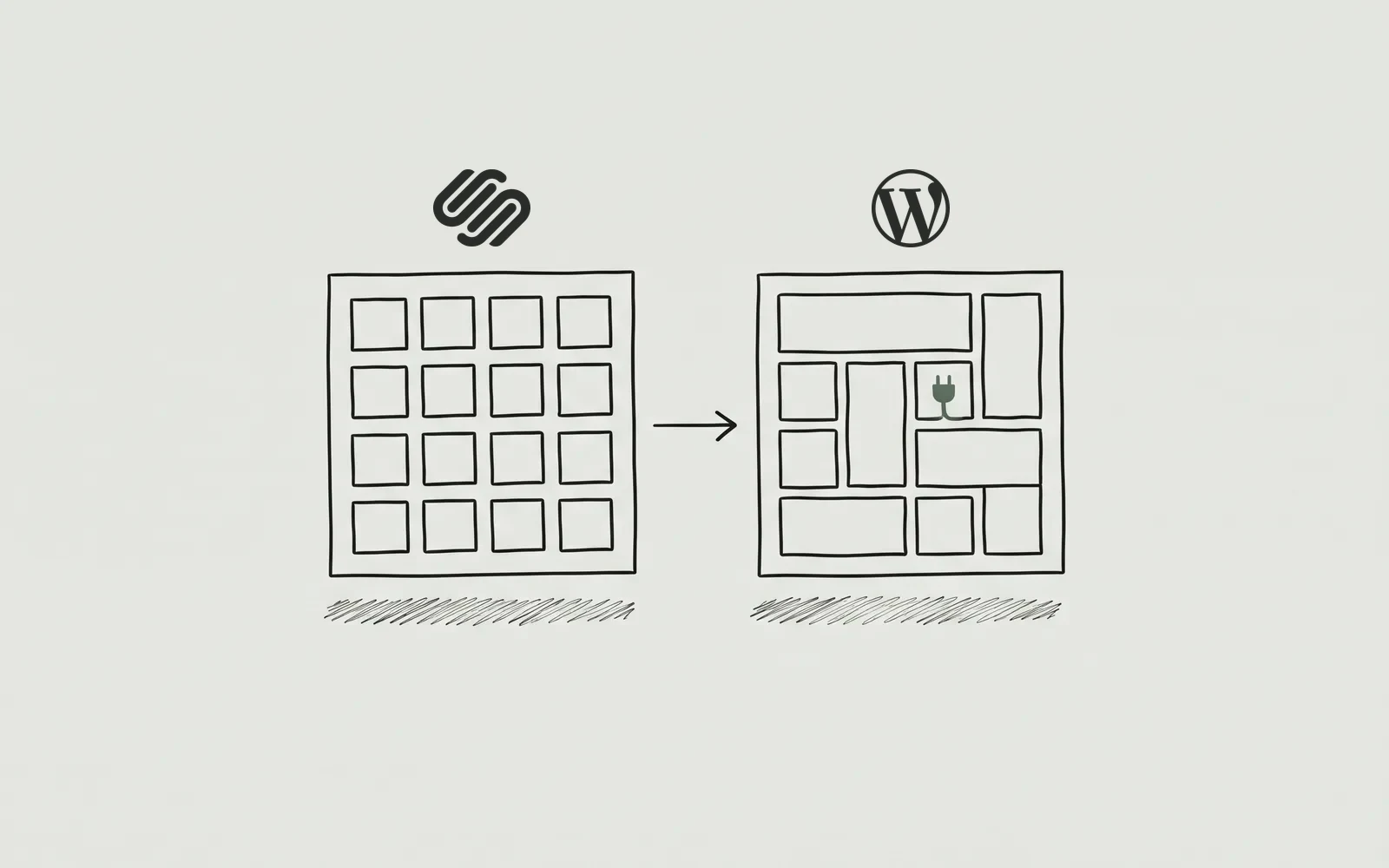
Where it stops is structure. Squarespace gives you pages and sections, not custom content types, so a filterable clinician directory, per-clinician insurance panels or a fee table that updates in one place all become manual work. Structured data is limited to the basics, the XML export carries your content but not your design, and any fix outside the template’s options means custom code you now maintain.
We build on WordPress, so discount this section accordingly. If the practice is one clinician with a fixed page list and no publishing plan, Squarespace is a genuinely good answer and we will say so on a quote call rather than sell a rebuild.
WordPress for therapists
WordPress is the better answer when the site needs structure a template cannot supply: specialty pages, a clinician directory, intake wired to your practice system, and content that has to keep earning.
The difference is not the editor, it is the data model. A therapist is a post type. A specialty is a taxonomy. A fee is a field that appears in one place and renders in three. Once those exist, adding a clinician or changing a panel is data entry, not design work, and nothing goes out of sync because someone forgot the fourth page that repeats the price.
You pay for that in setup and upkeep. Observed range as of November 2026: £5 to £35 a month for hosting, so roughly £70 to £450 a year before plugins or help, plus a one-time build fee. Ours start at $290 and are listed on the pricing page. There is no subscription to a platform, because the platform is free and yours.
The honest downside is that WordPress does not protect you from a bad build. It is slower than Squarespace out of the box, it needs updates and backups, and a page builder used carelessly produces exactly the clutter Squarespace prevents. The platform is not the guarantee; the person configuring it is.
We are a WordPress studio, and this is the platform we sell. The narrower reason is that therapy sites grow by addition — a specialty, a clinician, an insurance panel, a fee change — and structure makes addition cheap. How that structure is designed and handed over is on the website design page.
Squarespace vs WordPress for therapists: side by side
Seven rows, chosen because they are the things that change after year one rather than on launch day. Prices are observed ranges checked in November 2026, not quotes, and both companies revise their plans — confirm the current figure before you buy.
Observed ranges and platform behaviour, checked November 2026
| What matters | Squarespace | WordPress |
|---|---|---|
| Cost model | Subscription only, no build fee. Observed range November 2026: about £11–£30 a month on annual billing for the plans a practice needs. Domain extra; scheduling is a separate subscription. | Software free. Hosting observed range November 2026: £5–£35 a month, so £70–£450 a year before plugins, a licence or help. One-time build fee separate. |
| Who owns the site | You own the content and the domain if it is in your name. You do not own the templates or the platform, and the export is content only. | You own the files, the database, the content and the domain. GPL software, and the host is portable without a rebuild. |
| Editing difficulty | The easiest to keep tidy. Section-based templates constrain you by design: hard to make ugly, hard to make unusual. | Steeper first hour, then no ceiling. Block editor or page builder, with all the freedom and all the footguns that implies. |
| Booking and forms | Squarespace Scheduling works well for one-to-one sessions, as a separate subscription. Forms are simple; clinical intake and insurance logic need an embed. | No booking out of the box; a plugin or an embed. That is what allows it to match the practice system you already use. |
| SEO control | Strong defaults: clean URLs, sitemap, per-page titles and descriptions. Limited schema control and no server access. | Full control over schema, redirects, permalinks, robots and caching, plus full responsibility for all of it. |
| Migration difficulty | Moderate. Content exports as XML and can be imported; the design does not come with it, so a move is a rebuild that reuses the words. | Easy to leave. Content, database and files export, and hosts move sites as routine work. |
| Accessibility | Reasonably semantic templates, but heading order and contrast are largely fixed, and specific fixes often need custom code. | Whatever the build makes it. Complete control over markup and headings, for better and for worse. |
The two rows people misread are migration and accessibility. Squarespace exports content but not design, so leaving is cheaper than leaving Wix and more expensive than leaving WordPress. And a template being semantic is not the same as your page being accessible: heading order and contrast are set by choices you may not be able to override.
Which should a therapist choose?
Start from the practice rather than the platform. These four shapes cover most of the therapists who ask, and only the first one points at Squarespace.
Solo practice, first website, tight budget
Choose Squarespace or Wix. If referrals come from directories and the site is a calling card, a £15-a-month template that looks composed is the sensible spend. Put the rest into a portrait rather than a build.
Group practice with several clinicians
Choose WordPress. Profiles, per-clinician fees and filterable insurance lists are content types in WordPress and manual pages in Squarespace. A roster change should be data entry, not a design job.
Insurance-heavy practice
Choose WordPress. Panels, fee schedules and eligibility dates change too often to retype across pages. One fee field, rendered wherever it is needed, is the difference between accurate and almost accurate.
Content-heavy practice
Choose WordPress. If you will publish monthly, the archive needs internal linking, schema and editorial control that a template blog does not give you. Otherwise the content sits in a list nobody navigates.
The tie-breaker is the same on every page like this: who edits the site in month six, and what happens when the answer is a new clinician rather than a new paragraph. If it is a new paragraph, Squarespace is fine. If it is a person, a panel or a page type, WordPress is the cheaper answer over three years. The FAQ page covers the questions about handover and ownership that decide it.
Squarespace vs WordPress for therapists: the questions we are asked
Five answers, with numbers where a number exists. For process rather than platform, the main FAQ covers timelines, ownership and what happens after launch.
Is Squarespace easier than WordPress for a therapist?
Easier to start, not always easier to live with. Squarespace hands you a tidy template and a section editor that is hard to make ugly, while WordPress asks a few more decisions up front. The trade is control: Squarespace is quicker in week one, WordPress is quicker in year two when pages multiply.
Can Squarespace handle therapy session booking?
Yes, through Squarespace Scheduling, which is a separate subscription from the website plan. It handles availability, reminders and payment well for one-to-one sessions. Group programmes and clinical intake still need a practice-management system, which you would embed or link to.
What happens to my Squarespace site if I stop paying?
It goes offline. Squarespace is a subscription, so the site, the templates and the hosting stop when the plan does, even though your content is yours. The domain stays yours if it is registered in your name, and it can be pointed elsewhere.
Does Squarespace support the schema a therapy practice needs?
Partly. Squarespace outputs basic page and article markup and lets you set titles and descriptions, but it does not give you full control of FAQ, LocalBusiness or person schema. A practice that depends on structured data for local search will hit that limit.
How accessible is a typical Squarespace therapy site?
Reasonable by default, and limited when it is not. Template heading order and colour contrast are largely set for you, so most pages clear the basics, but fixing a specific block often means custom code. Test the template you choose with a keyboard before you commit.
Where to go next
If you are weighing platforms, what a build actually costs sets the four options side by side, Website Design shows what a custom build includes, and the Wix comparison covers the other direction. When you are ready, price your own build.
General educational guidance, not clinical, legal, or financial advice.